Monday, October 29, 2012

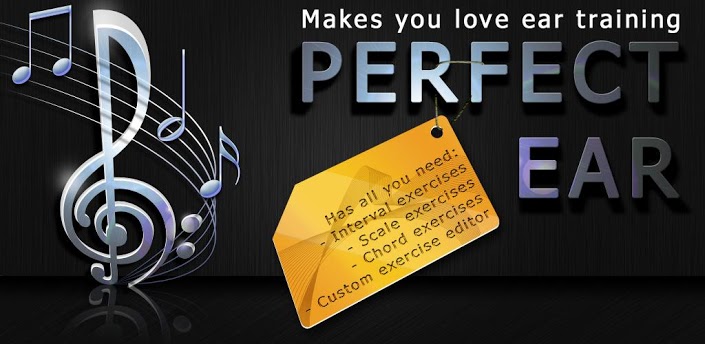
Perfect Ear Pro v3.6a Apk

Perfect Ear Pro v3.6a Apk


Requirements: Android 2.2+
Overview: An easy and fun tool that will help both professional musicians and those who consider music a hobby enhance their musical ear.

 - 8 Exercise types
 - Custom Exercises
 - Scale Viewer
 - Different instruments and guitar skins
 - Improved and configurable user interface
 - No ads of course

 What's in this version:
 More Chord Progression exercises
 Transparent settings backup between devices
 Performance fixes
 Bugfixes
 Custom mode for chord progressions and more chords for Chord identification coming next!

 What's in this version:
 - Fixed occasional crashes for some users


https://play.google.com/store/apps/details?id=ru.exaybachay.pear
Download Instructions:
http://ul.to/3fhj2asv

 Mirror:
http://www.secureupload.eu/ufuqf6qjkd8z
http://www.directmirror.com/files/1G7EZ0ZZ
FPse for android v0.11.61 Apk

FPse for android v0.11.61 Apk


Requirements: Android OS 2.1 +, Lucky Patcher
Overview: FPse for Android is the fastest and most compatible PSone emulator for handheld devices.(also known as PSX or Playstation 1)


 More than 180.000 active users and rated up to 4,5 stars on google play!

 FPse is able to render PSone games in high resolution by using OpenGL which gives outstanding graphics!

 Take a look to the Official Documentation to understand requirements and how it works:

http://www.fpsece.net/readme.html

 Create an ISO image from your favorite games and enjoy playing them on your Android phone.

 FPse features the following:
 -High performance
 -High compatibility
 -High sound quality
 -Real-time save states
 -Audio track emulation (using .cue files)
 -Force-feedback
 -Dynamically loadable Overlay Pads
 -Guncon emulation
 -Analog Stick emulation
 -Compatible with G-Sensor, Touchscreen and Hardware keys
 -Supports .img, .iso, .bin, .cue, .nrg , .mdf and .Z disc image formats
 -Full Support for IcontrolPAD, BGP100,Zeemote (via Bluez IME)
 -OpenGL support via external plugin!

 A few tips to improve your gameplay experience:
 -in Landscape orientation DPAD and Main 4 buttons are activated, if you want to activate all others, go in menu/input/touchscreen and select others buttons.
 -Create a default configuration by setting your desired options and then selecting “Default Config Save” in the System Menu.
 -CALL, BACK, VOLUME UP/DOWN buttons can be assigned as PSone buttons but can be used is not assigned.
 -Guncon emulation requires the A and B buttons to be mapped to Hardware keys. By default: L3 = A and R3 = B.
 -SPUSync is required for proper sound quality in certain games such as MGS and FFVII.
 -Frameskip set to 50 will avoid sound stuttering on load end device or with somes games that use much CPU.

 What's in this version:
 FPse 0.11.61:
 - Fixed Critical CD plugin emulation
 - Fixed Sound engine, still highly enhanced using SPUSYNC from audio menu
 - Added in-between buttons support via the new onscreen multi buttons support.
 Assign Multi buttons normaly , press back when HW button is asked and select all the buttons you want to assign for the multi button then back to commit. you can move those buttons Using the Repositionning option.

 Instructions:
 1. Uninstall previous version of FPse.
 2. Install FPse for android .apk file (but don't run it!)
 3. Move FPse to SD card. Note: Some handsets don't have this option. If this is the case, force it to sd card with link2sd.
 4. Run Lucky Patcher and use Custom Patch (choose 0.11.53_com.emulator.fpse) to patch FPse.
 5. If not full, repeat steps 1-4 and reboot.


https://play.google.com/store/apps/details?id=com.emulator.fpse
Download Instructions:
http://ul.to/pthmdkdw

 Mirror:
http://www.filedownloads.org/5t5umb5iykn5

Notification Toggle Premium v2.5.3.2 Apk

Notification Toggle Premium v2.5.3.2 Apk


Requirements: 2.1 and up
Overview: Turn on WiFi, Bluetooth, Flashlight and much more from your notification bar!

 Notification Toggle creates notifications in the Android status bar to let you quickly switch WiFi, Bluetooth, Silent mode, Screen rotation and Flight mode on and off or to adjust the screen brigthness (and many more...)
 You can also add shortcut to your own apps into the notification bar!

 In the settings, you can choose which notifications should be active. All icons & colors can easily be changed through the app for full customization!

 New premium feature: Add custom shortcuts, like direct calling a person to your notifications! (Enabled)

 ------------------
 More information & beta releases can be found here: http://forum.xda-developers.com/show....php?t=1037817
 If you don't like the default icons, click on 'Icons & Colors' and use your own icons or use the 'Icon Downloader for NT' app do download alternative icons made by xda users. Some icons are slightly modified ones from the MetroStation Icon-Pack by yankoa (http://yankoa.deviantart.com/)

 Some notes:
 - not every toggle will work on every device
 - some settings aren't changeable by user apps, so it will bring you directly to the android settings
 - exclude from task-killers!
 - if your device is rooted, you can install the app in /system/app for direct GPS toggle even on Android 2.3+
 - on Galaxy Note it seems to work only with the stylus on Android 2.x!
 - having the "TalkBack" bug? Try this: http://forum.xda-developers.com/show...&postcount=776

 --------------------
 Available toggles & shortcuts:
 - WiFi
 - Bluetooth
 - Sound / Vibration, Sound / Silent, Sound menu
 - Brightness mode / menu / 5 predefined stages
 - Screen timeout dialog
 - Wake lock
 - Rotation
 - Flight mode
 - Mobile data
 - NFC
 - Flashlight (might require TeslaLED)
 - Sync & Sync now
 - WiFi- & USB-Tethering
 - Music: previous / next / pause
 - WiFi settings / advanced settings
 - Bluetooth settings, Bluetooth visbility
 - GPS
 - Mobile data settings
 - Data usage
 - Battery
 - Camera
 - next Wallpaper (requires WallpaperChanger)
 - Lockscreen (requires DelayedLock)
 - Shutdown & Reboot (requires root)
 - own apps & shortcuts

https://play.google.com/store/apps/details?id=de.j4velin.notificationToggle
Download Instructions:
http://www.filedownloads.org/evmb7dq0k8jk

 Mirror:
http://rapidgator.net/file/53040138
http://www.directmirror.com/files/CMM09VVY

TAKEphONE contacts dialer v1.77 Apk

TAKEphONE contacts dialer v1.77 Apk


Requirements: for all Android versions
Overview: Make your phone smarter

 - T9 search
 - Dial by photo
 - Schedule calls
 - More...

 aTAKEphONE dialer changes the way you use your phone - T9 smart search, Fast & easy favorites, call-log and a dial-by-photo!
 - Search company, notes, numbers.
 - Multi language.
 - Multiple skins.
 - Auto-remove missed call icon.
 - Landscape mode.
 - Handle 'x' and '+' in numbers.
 - Send contacts.
 - More...

 What's in this version:
 - Ver. 1.77: improved i-Bar editing (drag & drop, importing from Google).
 - Ver. 1.75: fixed an issue with call log on the S3.
 - Fixed issues with skins in 1.67.
 - ICS (Android OS 4.0.1 and up) support.
 - Fixed call scheduling for ICS.
 - ICS skin (looks awesome).


https://play.google.com/store/apps/details?id=com.shsh.android.atakephone
Download Instructions:
http://www.filedownloads.org/wv6xpcwl9bqr

 Mirror:
http://rapidgator.net/file/53048252/...sp177.rar.html

GO SMS Pro v4.67 Apk

GO SMS Pro v4.67 Apk


Requirements: Android 1.6+
Overview: GO SMS Pro is a total enhancement for stock messaging app, much faster, more functions; with cool UI, chat/list style, popups, backup/restore, scheduler, encryption, blacklist, folders, many themes, tons of settings; Include almost ALL functions you want for texting, it is very popular, get it and try it.

 ♥ Trusted app, supported by trusted GO Dev Team, bringing your texting(SMS/MMS/Facebook Chat) to a new level

 ★ Features
 -- Full SMS/MMS support, also Facebook Chat integration with GO FB chat plug-in

 -- GO-MMS service (FREE), you may send picture/music to your friend(ever they are no GO SMS) through one SMS with 2G/3G/4G or WIFI

 -- Popup with quick reply, privacy mode

 -- Notification with privacy mode and reminder notification

 -- Many cool themes; also support DIY theme, and Wallpaper Maker plug-in; Fully customizable look; Supports chat style and list style; Font changeable

 -- Security lock, support lock by thread; Blacklist

 -- SMS backup and restore by all or by conversations, supports XML format, send backup file by email

 -- Settings backup and restore

 -- Support schedule SMS; Group texting

 -- Support folders view: Inbox, Outbox, MMS,created folders, encrypt folders

 -- Individual contact customization for Notification,Ringtones, Signature and Conversation

 -- Support Emoji with Emoji pulg-in

 -- 1x1 icon widget with message count and 4x2 medium widget

 -- Quick text management

 -- Batch modes (add contacts, delete conversations/messages and backups)

 -- Support GESTURE, you may switch "Messages" and "Folders" view by left/right slip; Many 3D & 2D transition effect

 -- Support English, Chinese, Korean, Traditional Chinese, German, Greek, Italian, Russian, Spanish, Swedish, Polish, Czech, Japanese; Get languages package in market

 -- Handy, build-in Contacts. Quick find: by letter, name, keyword. Support phone group, Google group and GO SMS group

 -- Stock SMS can be removed (but please be care)

 -- Localization support for accented chars without using Unicode

 -- Split large messages for CDMA

 -- Time offset adjustment

 -- Avoid disordered messages: sort by time or by order of messages sent/received

 -- Facebook contact photo support

 -- Night mode

 -- Messages grouping (Group mode or Separate mode)

 ★ Most users' feedback: Love how it's easy to use and very fast; Nicer, slimmer and smoother than Handcent SMS and chompSMS


 ♥ LOVE:
 ▪ We are always listening to and working hard for our users! Please Encourage us by:
 -- Giving a high rating if you like it
 -- Recommending GO SMS to your friends,Thanks

 ▪ When meet issue, please firstly referred carefully to:
 -- "MustKnow tip"
 -- "Help"
 -- "Important Tips" in Settings

 What's in this version:
 V4.66 Update (2012-10-12)
 1. Optimize Application Center, plug-in can be adjusted position, cataloged into folder
 2. Support reset settings to default
 3. Optimize login and register UI of GO Chat
 4. Support retrieving password through phone number and Facebook
 5. Release two Halloween themes
 6. Other UI/UE improvement and bugs fix

https://play.google.com/store/apps/details?id=com.jb.gosms
Download Instructions:
http://ul.to/385b4yn5

 Mirror:
http://www.secureupload.eu/ncvsxv7m9ahv 

SymbolsKeyboard & TextArt Pro v3.0.4 Apk

SymbolsKeyboard & TextArt Pro v3.0.4 Apk


Requirements: for all Android versions, supports App2SD
Overview: SymbolsKeyboard & TextArt, the only symbols keyboard and the most featured text art and picture app for Android! Send ascii symbols or text art from the library to facebook, sms, mail, twitter, blog...

 SymbolsKeyboard & TextArt, the only symbols keyboard and the most featured text art and picture app for Android! Send ascii symbols or text art from the library to facebook, sms, mail, twitter, blog,... You can also create your own art! Check out this top5 ranked social app!

 Contains layouts for the following languages:
 ✔ Arabic لوحة المفاتيح العربية
 ✔ Belarusian Белорусская клавиатура
 ✔ English
 ✔ Finnish Suomi
 ✔ German Deutsch
 ✔ Hebrew עברית
 ✔ Russian Русская клавиатура
 ✔ Spanish Español
 ✔ Ukrainian Українська клавіатура

 Also includes
 ✔ built-in English dictionary
 ✔ user dictionary
 ✔ contact dictionary
 ✔ word suggestion (beta version)

 ★☆★ IMPORTANT: please uninstall trial and free versions before use Pro! You dont have to keep those versions on your phone! ★☆★
 Forget old school smileys! TextArt and symbols are the new way to let friends and family know how you feel. There is an image and symbol for each occasion! Christmas, Easter, birthdays, new year's eve, love, friends,...

 - Use, edit or create your text art
 - Widgets for easy sending
 - Send it via sms, email, Facebook, twitter, ...
 - Copy it to a blog, forum,...
 - Use the symbol keyboard to add ascii symbols to all your texts
 - Use crazy text styles

 Swipe the keyboard or long press the s1 button to change the keyboard layout!
 Included keyboard symbols:
 s1: ♥♀♂♣●•♬⌒ツ彡♡╰╮♪♩☆★∞¯`׺°´
 s1 shifted: ▨▧▦▩▤▥▣◈□■↑↓→←↖↗↙↘♕†™。゚ˇ
 s2: △▲▽▼◁◀▷▶◇◆☏☎◐◑♤♠♧♣☜☞⊙®※♨
 s2: shifted: ₭Ω€₤∅₡✘✔▓∝﹏︴∋Ξ∈∵εї⇜↭∽§‡⊥↯
 s3: Customized symbols and text art
 s4: ♞♘♚♔♛♟♙♝♜回웃유シتÜѼѠӜѮ凸₪◎ΨѺѷ
 rounded: ⓠⓦⓔⓡⓣⓨⓤⓘⓞⓟⓐⓢⓓⓕⓖⓗⓙⓚⓛⓩⓧⓒⓥⓑⓝⓜ
 ①②③④⑤⑥⑦⑧⑨⑩⑴⑵⑶⑷⑸⑹⑺⑻⑼∑µ∅≠∫℉℃
 Imagine these symbols on your facebook, twitter, mails, sms, blog,...

 Text art examples:
 ()""()
 ( -.-)
 (,) )...zzzz
 .-..-. /),/) .-..-.
 "-.-" ( ';' ) "-.-"
 .-..-. c(..c) .-..-.
 "-.-" 00 "-.-"
 (”)….(”)
 ( ‘ o ‘ )
 (”)–(”)
 (””’)-(””’)

 Imagine these pictures on your facebook, twitter, mails, sms, blog,...

 This most featured keyboard app is now top 5 in the social paid AppBrain market category!!!

 What's in this version:
 ★☆★ A unique web-based keyboard editor available (beta version) ★☆★
 You can now create Android keyboard of your dream in few minutes!
 The online editor allows you to create customized keys, change their position, size, assign up to 15 symbols to each key, and set the long-tap text!
 You can either create your own keyboard from scratch or edit the existing one.

https://play.google.com/store/apps/details?id=com.mobisters.textart.pro
Download Instructions:
http://ul.to/pkrjw6ev

 Mirror:
http://www.filedownloads.org/himu06eb48zk
http://directmirror.com/files/1KJZXUVX

DirecTV Remote+ Pro v2.2.6 Apk

DirecTV Remote+ Pro v2.2.6 Apk


Requirements: 1.6 and up
Overview: The DirecTV Remote that offers the most bang for the buck!*

 Get the DirecTV remote that is late to the party but brought all the toys! Hi-res button graphics; MORE options; MORE features; actively being developed with frequent updates!

 Exclusive FREE add-on (see more by Cognitial Mobile below) allows you to create shortcuts to remote buttons, favorites, macros and the mini-guide right on your home screen, and you can even preview the add-on in the free version!

 *****
 If you like this app, please rate it! I'll continue to update and improve this app whether you rate it or not but great ratings make me feel all warm and fuzzy!

 If you have problems or requests please contact me through email as it is very difficult to properly respond in the comments section.

 *****
 ** DIRECTV WI-FI REMOTE REQUIREMENTS **

 This app requires WiFi and DirecTV HD receivers and/or HD DVRs connected to your home network (wired or wirelessly) and properly configured for External Device access. Supported models are H21, H22, H23 and H24 HD receivers and HR20, HR21, HR22, HR23 and HR24 HD DVRs. R22s may work as well.

 More detailed information can be found in the description for the free version. IT IS RECOMMENDED THAT YOU FIRST INSTALL THE FREE VERSION IN ORDER TO ENSURE THAT YOUR SYSTEM IS COMPATIBLE WITH THIS APP. If your DirecTV system is NETWORKED and the receivers have been given a name and setup to allow external access, this app WILL work. To try the free version, press "View more applications" in the last section below.

 >> For advanced users: One receiver can be controlled over 3G, etc. See Website for details.
 Having problems getting this app to communicate with your receiver? Please see the FAQ at my website (button in app or link on this page).

 PRO VERSION extras:
 * EXCLUSIVE (and FREE): Add-on allows you to create shortcuts to remote buttons, favorites, macros and even the mini-guide right on your home screen. Send remote commands without even opening the app!
 * EXCLUSIVE: Create and use your own custom macros!
 * EXCLUSIVE: Toggle Closed Captioning with one button press! (Handy when using HDMI connection)
 * EXCLUSIVE: Search Assistant allows you to enter searches using your phone's keyboard and easily navigate the results all from one app screen.
 * EXCLUSIVE: List Editor lets you rearrange, rename & delete receivers, favorites & macros!
 * EXCLUSIVE: See what's currently playing on ALL of your receivers and favorite channels all at the SAME TIME!
 * EXCLUSIVE: Toggle between SD & HD resolutions on the new DirecTV HD GUI.
 * EXCLUSIVE: Option to lock app orientation to portrait or landscape.
 * EXCLUSIVE: Option to keep device awake while using the remote.
 * Launch the DirecTV DVR Scheduler app from the menu.
 * See more about the current show, movie or song from IMDb, Google, Amazon and AllMusic.
 * Optionally show a status bar notification icon for quick access to the remote and currently selected receiver.
 * Active development and outstanding support.
 * ... and MORE!
 ... and everything you get in the free version such as...
 * All-original button graphics
 * THREE remote layouts to choose from
 * EXCLUSIVE: Slow Motion remote command!
 * Favorite Channels list
 * 'On Now' tells you more about the currently tuned show, movie or song
 * Reboot your receiver with a couple button presses.
 * Basic help built in with links to a website where you can find a FAQ list to help with issues.
 * EXCLUSIVE: Haptic Feedback strength is fully adjustable.

 What's in this version:
 * (ALL) Mini-Guide stability on some newer devices (also added Abort button just in case problems continue for those experiencing them)
 * (PRO) Macros should now be much more reliable for people who previously had problems with them. For those who didn't, you may be able to slightly lower the macro delays now without losing reliability. (Thanks Larry!)
 * (ALL) Mini-Guide now tells you if the current show was recorded (playing back)
 * (ALL) Several minor bugs fixed & other small changes


https://play.google.com/store/apps/details?id=com.cognitial.directvremotepro
Download Instructions:
http://www.filedownloads.org/d0kj2o7e8tbx

 Mirror:
http://rapidgator.net/file/53053074
http://extabit.com/file/279lm3bijttrj
http://www.directmirror.com/files/DKHGUHSI